Generating Alias Tokens
Alias tokens can be thought of as a temporary username and password. They are used to connect external tools such as XNAT Desktop Client and xnat-utils to Monash XNAT.
Treat your alias tokens as you would your username and password. Do not share them or store them insecurely.
Generating Alias Tokens
Alias tokens can be generated as follows:
-
Log into Monash XNAT in your browser (https://xnat.monash.edu/)
-
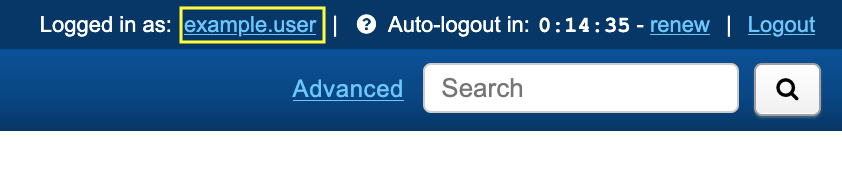
Click on your name in the top right-hand corner of the page:
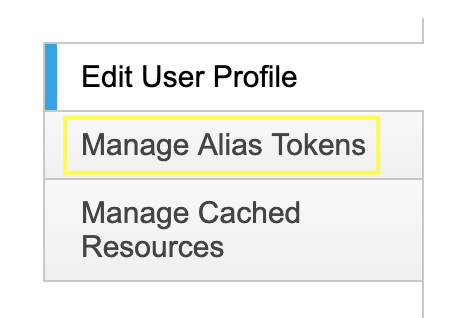
- Click Manage Alias Tokens in the sidebar:
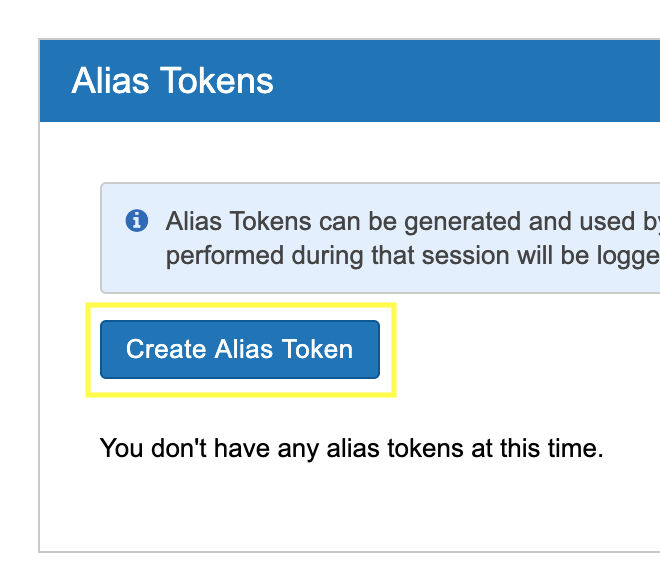
- Click Create Alias Token:
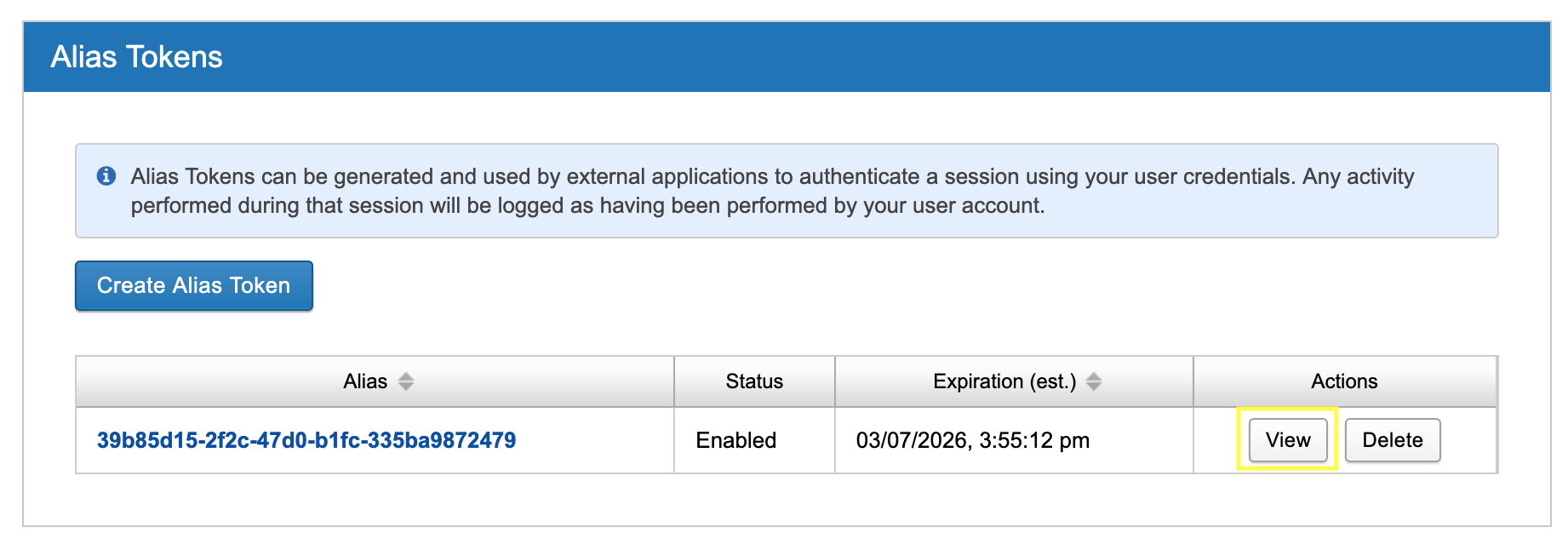
- Click View in the newly added row.

-
Note the values for alias and secret - use these when prompted for a username and password.
-
It's good practice to Delete alias tokens (note the Delete button in Step 5) once you are no longer using them.
Please note that as an additional security measure, alias tokens expire in 30 days and will need to be regenerated using the above steps.